This guide describes how to manage the quota at the cPanel messaging level in the event of a space limit.
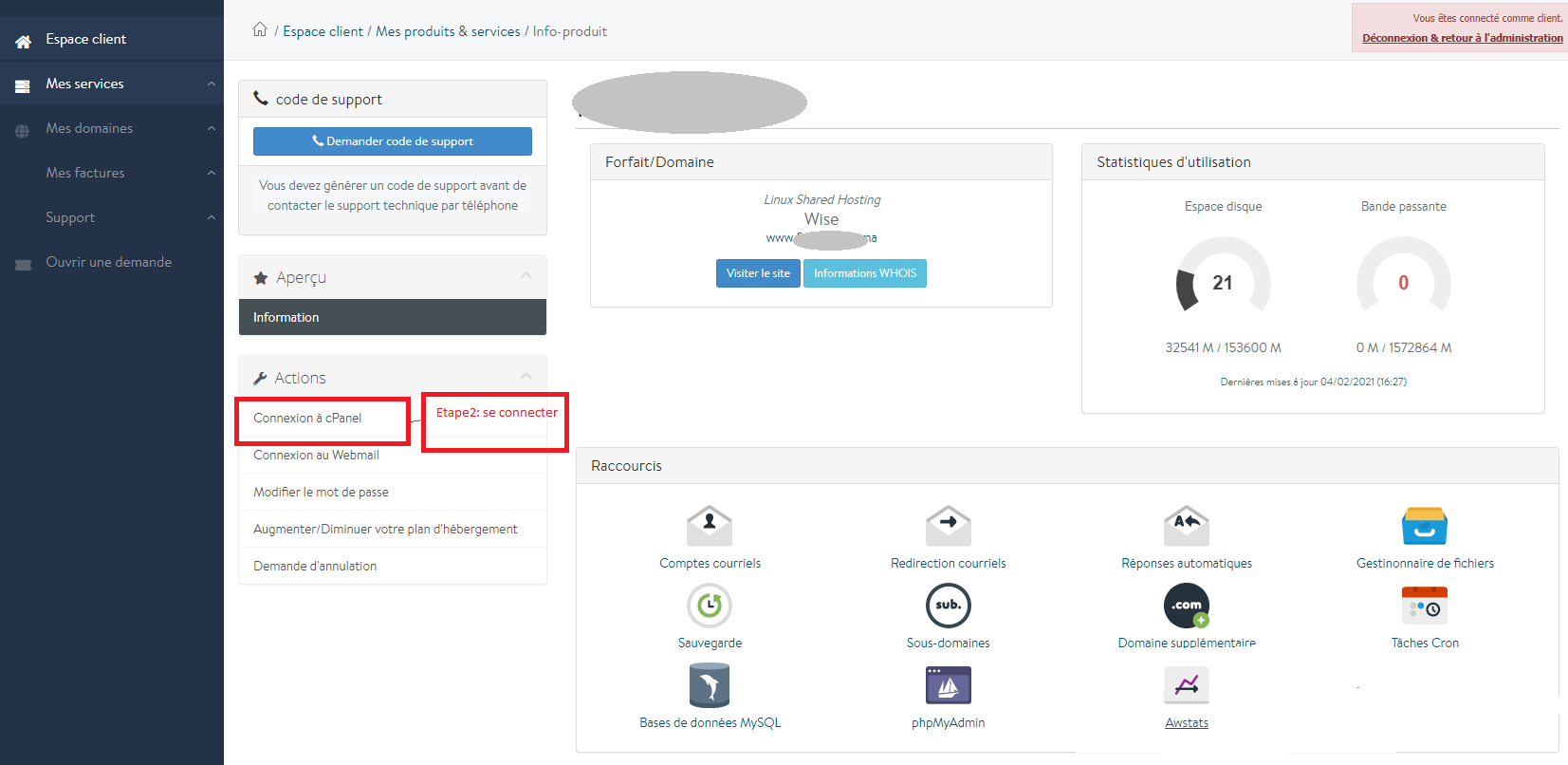
1- Start by logging into your customer area, then click on the “My products & services” or "Mes produits & services" section and choose your pack.

2- Log in by clicking on the “cPanel connection” section or connexion à cPanel
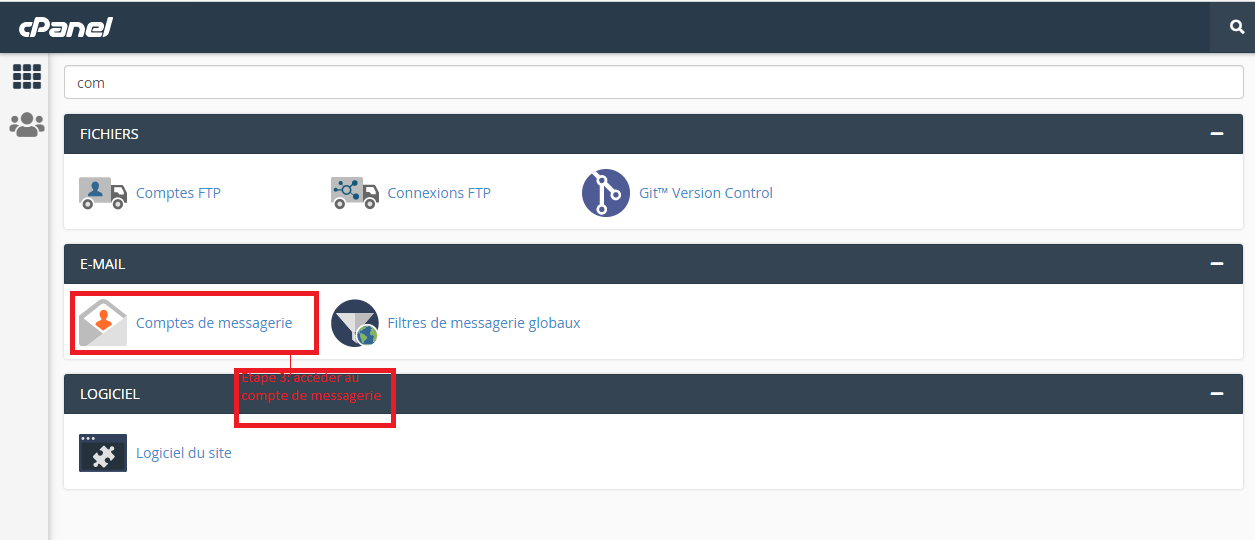
3-Access the email account by clicking on the section below, to find it easily, search for “email accounts” or comptes de messagerie
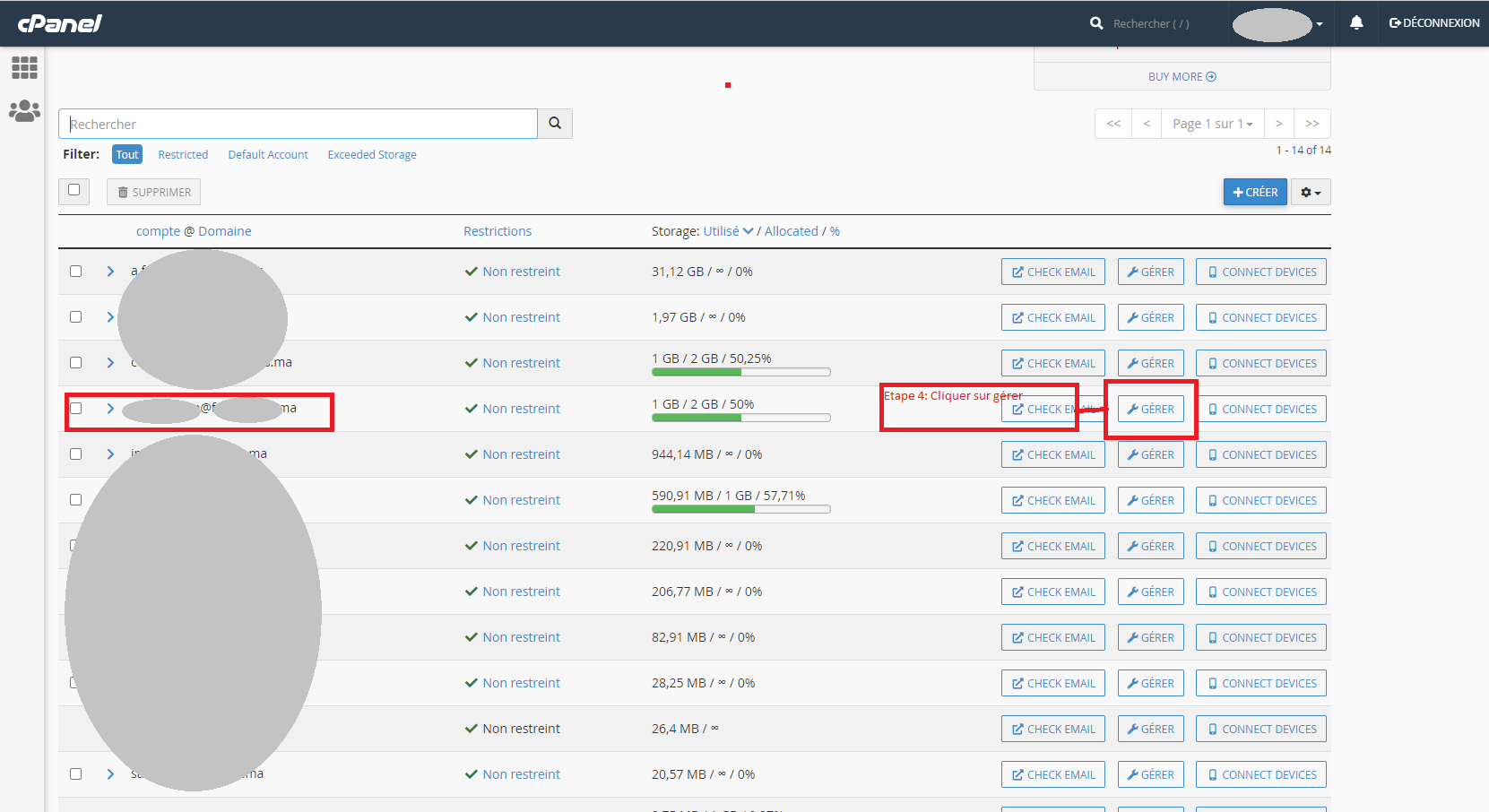
4- Then, choose the email concerning the space overrun, and click on "manage" or gérer :
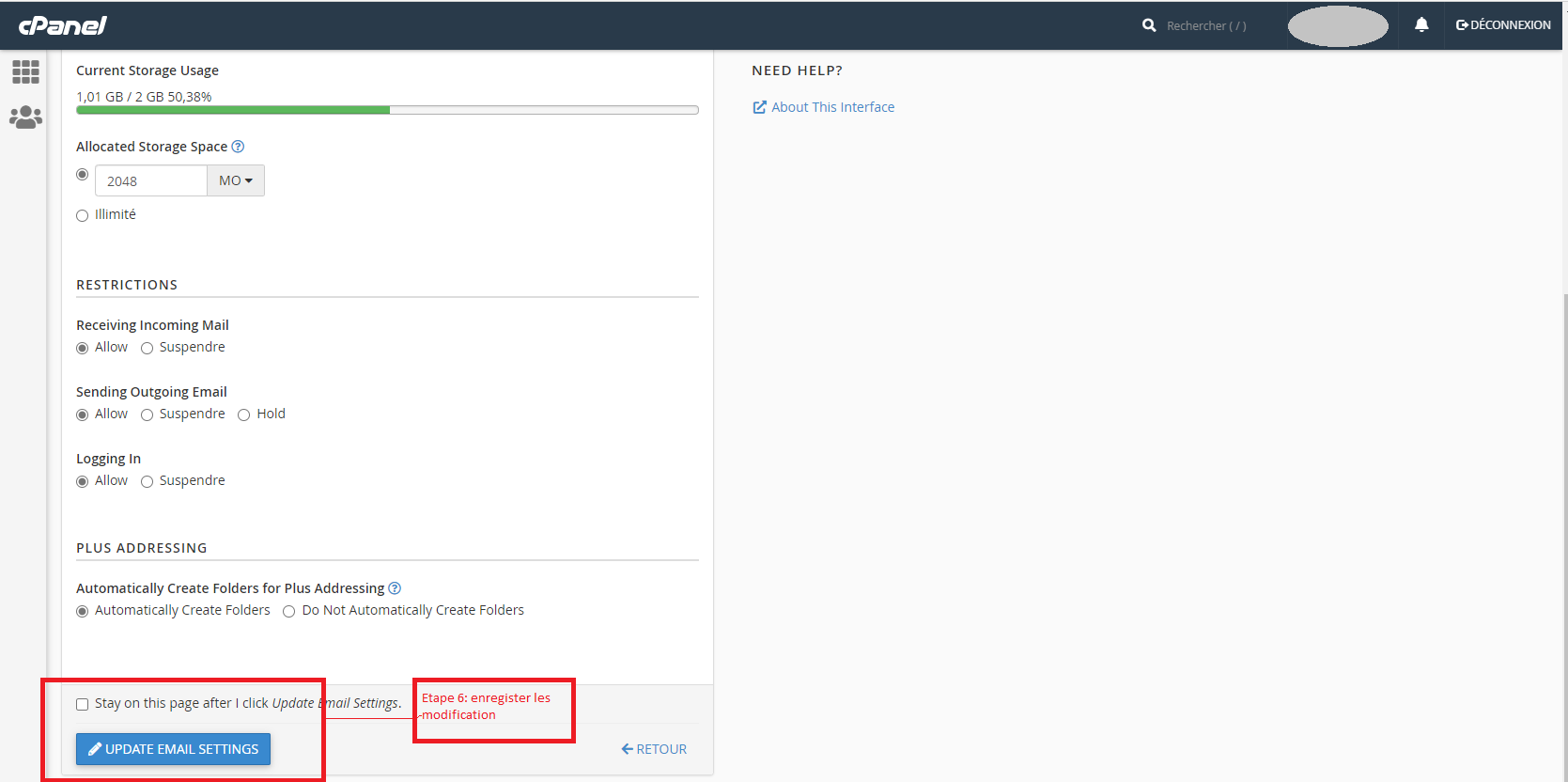
5- Under the section “Allocated storage space”, increase your storage space:
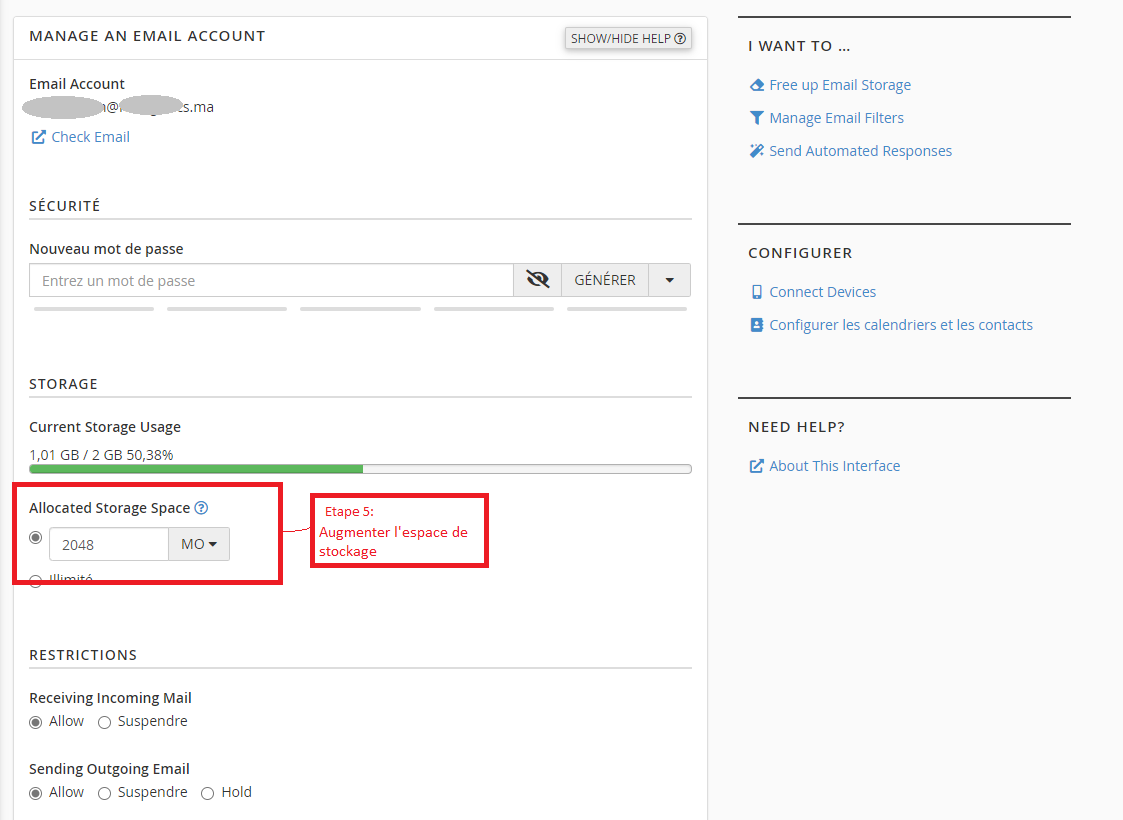
6- Once the change has been made, save the changes by clicking on "update email settings"
Congratulations, you have completed all of the steps in this guide.
